

Specifying a touch interface for a factory floor is where projects quietly go wrong. The screen is the part an operator touches dozens of times per shift, and usually the last item anyone questions.
The capacitive vs resistive touch screen industrial decision looks like a spec-sheet row, but it decides whether an operator standing at the machine can use it at all — with gloves on, hands wet, grease on the panel and direct sunlight on the glass.
Gloves, water and oil, sunlight, and wear: those are the four conditions that decide whether a touch screen is usable on a Southeast Asian plant floor.
If you keep only three lines from this article: the operator’s hand picks the sensing layer (thick gloves point to 5-wire resistive, bare or thin-gloved hands to PCAP); the cleaning method picks the front-panel IP rating, not the touch layer; and the lighting picks the brightness, the bonding and the anti-glare treatment. Everything below is the reasoning behind those three lines.
How Each Touch Technology Senses a Finger
Resistive touch screens register physical pressure on two conductive layers, while capacitive touch screens register a change in an electric field — and that single difference determines how each one behaves with gloves, water, oil and sunlight.
Under the finger, a resistive panel is two transparent conductive layers separated by spacer dots, both coated with indium tin oxide (ITO). Pressing the surface closes a circuit at that point, and the controller reads the voltage divider as coordinates. Industrial panels almost always use the 5-wire layout rather than the consumer 4-wire design, which puts the measurement electrodes on the bottom glass layer and uses the top film only as a probe, so the layer that wears is not the layer doing the measuring.
Nothing moves in a projected capacitive (PCAP) panel. A fine electrode array sits on glass beneath a cover lens as crossed X and Y ITO traces, and a conductive object near the surface changes the capacitance at the nearest intersection; the controller calculates the centroid of that change to report coordinates.
Capacitive sensing needs a conductor able to disturb the field, not a bare finger specifically. That is why gloved operation is a tuning problem rather than a yes-or-no question.
5-Wire Resistive vs Projected Capacitive: The One Line That Matters
Resistive reads pressure; capacitive reads conductivity. Glove compatibility, wet-surface behavior and surface wear follow from that line. Compare it as 5-wire resistive versus projected capacitive: in the 5-wire layout the measuring electrodes sit on the bottom glass, so panel life is limited by film wear rather than by the sensing circuit, while a PCAP panel more often dies from a single deep scratch or impact than from gradual wear.
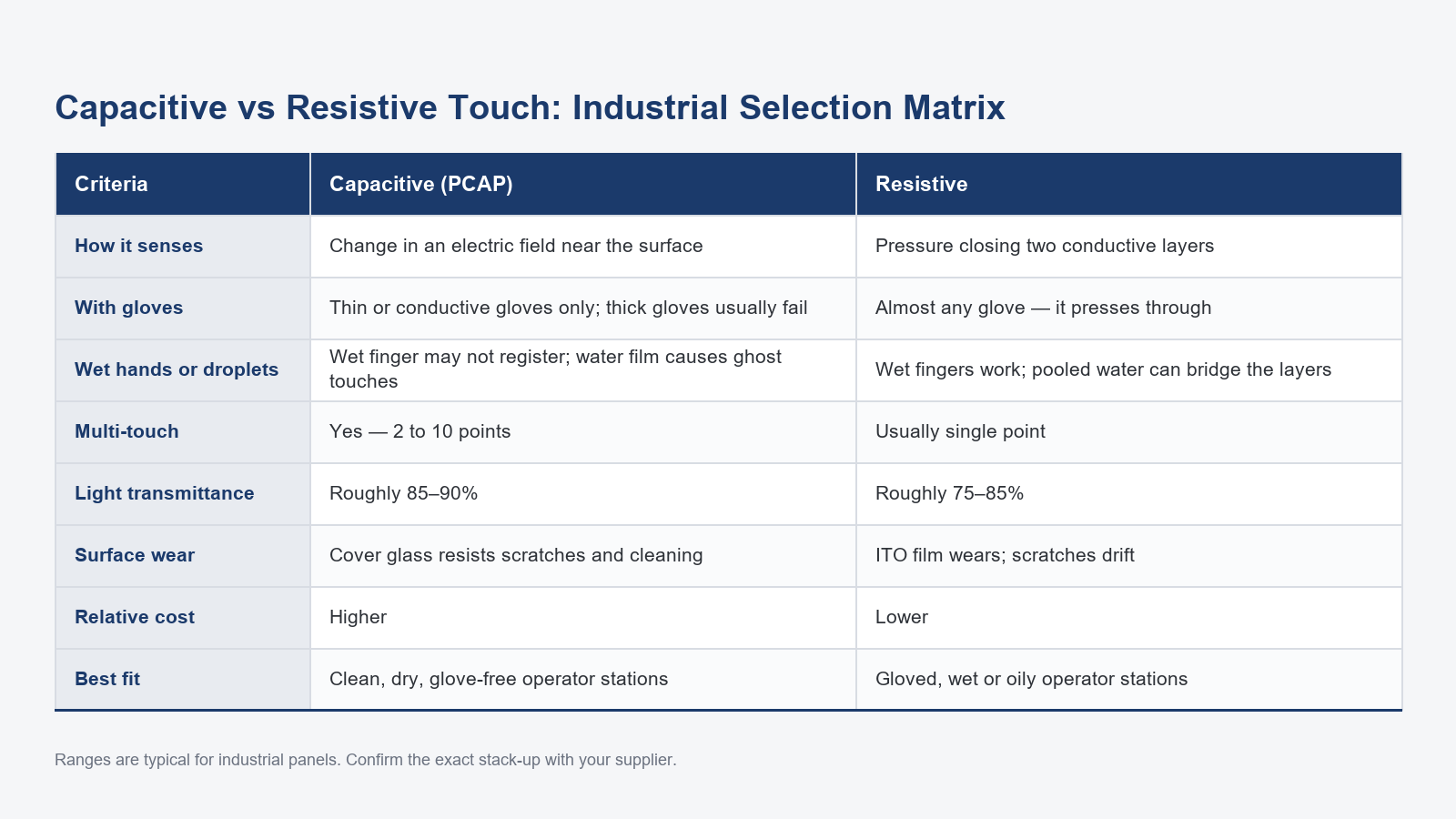
The table below is the whole comparison in one view; each row is unpacked in the sections that follow.
| Operating condition | Projected capacitive (PCAP) | 5-wire resistive |
|---|---|---|
| Thick work gloves | Usually fails unless the glove is thin or conductive | Works: it reads pressure, so any glove material registers |
| Thin gloves and bare hands | Works | Works |
| Wet hands | A wet finger registers; a continuous water film causes ghost touches | A wet finger registers; water trapped between the layers causes drift |
| Oil and grease | An oil film does not bridge the sensor, but it shifts the controller baseline | Reads pressure, so contact still registers |
| Sunlight and glare | 85–90% transmittance; accepts full optical bonding | 75–85% transmittance; extra interfaces raise the black level |
| Scratching and sanitizer spray | Cover glass front survives (ASTM D3363) | The ITO film marks under the same handling |
| Impact and single-point failure | One deep scratch can kill a large area | Damage stays local and the film is cheap to replace |
| Multi-touch | 2–10 simultaneous points | One point at a time |
| Calibration | Not normally needed | Periodic recalibration as the film ages |
| Cost structure | Higher BOM: cover glass, sensing layer, controller, bonding | Lower up front, then film replacement and calibration over service life |
Gloves, Bare Hands and Styluses: Who Can Operate the Screen
With thick work gloves, resistive touch is the safer choice: it responds to pressure, so almost any glove works, while a capacitive screen usually needs a thin, conductive or purpose-made glove to register the touch.
The question arrives most often from integrators building food, chemical and cold-chain stations, and it is rarely binary, because glove thickness and material are continuous variables.
If a capacitive screen is fixed in the design, there are three routes. A glove-mode controller tuned for high sensitivity handles thin gloves at the cost of a higher false-touch rate. Conductive gloves work reliably, though many plants will not absorb the cost of keeping them segregated. A capacitive stylus works well, but on a shared station it is usually mislaid within weeks, so most plants treat it as a consumable to be re-ordered rather than a tool to be tracked.
Resistive touch has none of those constraints. Any glove material, a fingernail, a pen, a screwdriver handle: all generate pressure, so all register. The cost is physical, since the operator presses with noticeable force, which shows up as finger fatigue and film wear.
The most reliable field test costs nothing: have the operators bring the gloves they actually wear and try them on a sample panel. Procurement-department gloves are the wrong benchmark.
Water, Oil and Washdown: What Each Stack Tolerates
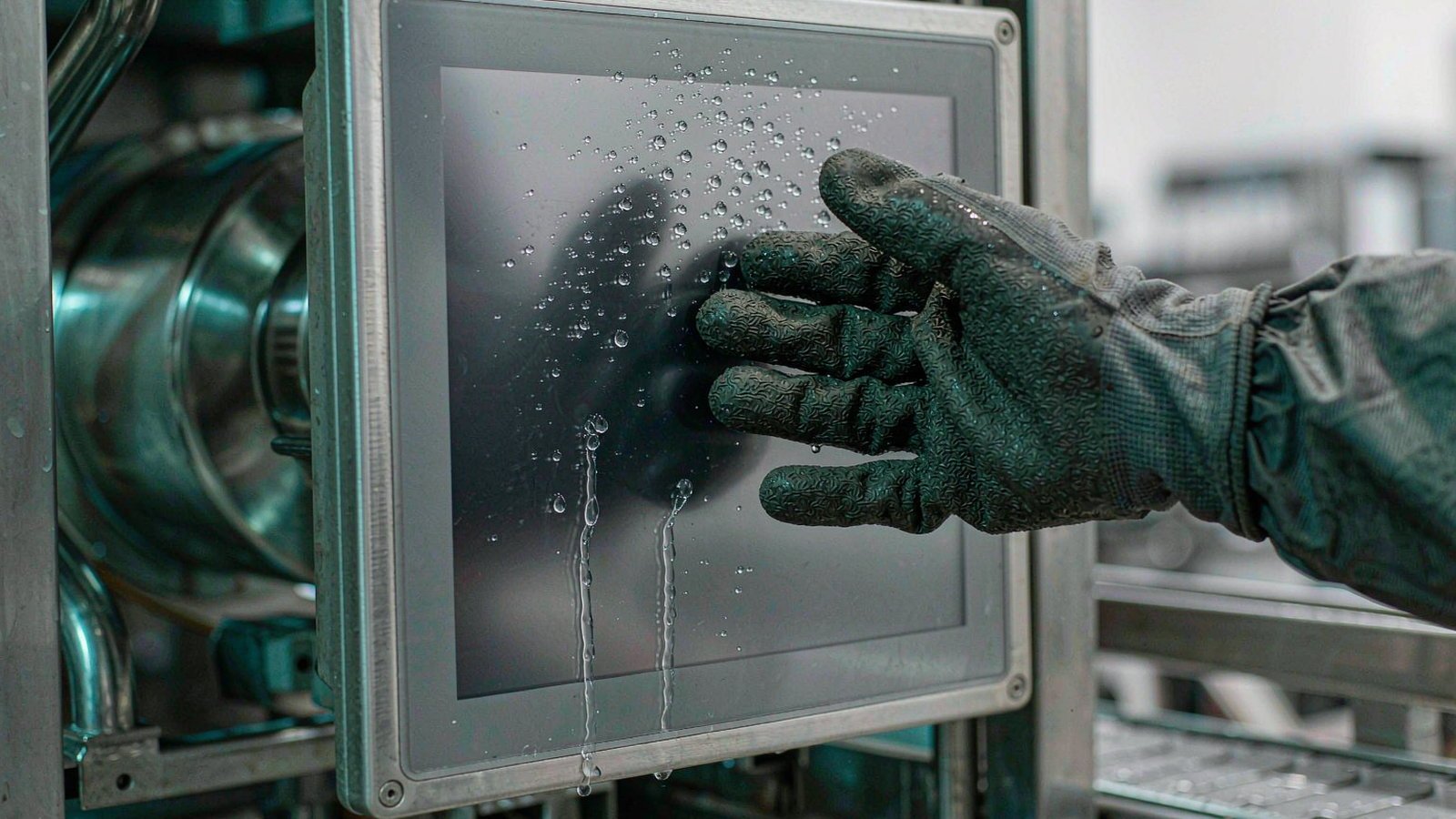
Resistive touch tolerates wet fingers but not water trapped between its layers, while capacitive touch tolerates a wet finger poorly once a continuous water film forms on the surface — so on any washdown station the front-panel IP rating matters more than the touch technology itself.
Get liquid between the conductive layers and the panel fails: water bridging them creates a contact read as a constant touch, so the screen drifts or stops responding. Sealing prevents most of this, though a damaged gasket opens the door.
The failure mode is different on a capacitive panel. A wet finger still registers, since a finger plus water is still a change in capacitance. The problem is a continuous film on the glass, which becomes a parallel capacitive path and makes the controller register touches nobody made. Water-rejection algorithms reduce this substantially. Oil behaves differently: it is a poor conductor, so it does not bridge the sensor the way a water film does, but a film of grease still raises the capacitance the electrodes see and can push the controller baseline off, and it has to be wiped off before the screen stays readable. On a station that is wiped with an oily rag every shift, treat surface cleaning as a maintenance item, not a selection question.
On a washdown line, the capacitive vs resistive touch screen industrial question usually resolves into a sealing question: the touch layer decides how your operator’s hand interacts with the glass, and the front-panel IP rating decides whether the screen keeps working after the hose.
Ask what the rating covers before comparing touch technologies. IP65, IP66 and IP69K are defined in IEC 60529 and describe how the front panel is sealed against water and dust; none of them says anything about the sensing layer, and none of them makes the enclosure dust-tight unless the first digit is 6. On a washdown line that makes it a sealing question rather than a sensing question — and if cleaning involves a hose at close range, our waterproof industrial panel PC selection guide works through the enclosure choice.
Tilt the panel so water runs off instead of pooling, and rinse disinfectant residue rather than letting it dry, since many disinfectants leave a film that degrades coatings and adhesives.
Sunlight, Glare and Optical Clarity
Capacitive panels generally read better in bright light because their simpler stack-up transmits more of the backlight, typically in the 85–90% range versus roughly 75–85% for resistive designs, but screen brightness and anti-glare treatment matter more than the touch layer.
Transmittance is a multiplier on readability, not the deciding factor. Nits, front-surface anti-glare treatment and optical bonding all move the result further than the touch layer.
Fewer optical interfaces sit in a capacitive stack: cover glass plus one sensing layer leaves less internal reflection, and the construction accepts full optical bonding, which removes the air gap between LCD and glass. That air gap costs resistive panels: light reflects off the extra ITO surfaces and the trapped air layer, lifting the black level until the image looks grey.
Those figures are typical industry ranges that depend on the stack-up, so confirm them against a supplier’s measured data. For a canopy station or a windowed loading dock, capacitive is usually the better starting point, though check the nits specification too. Where the station also demands thick gloves, those requirements pull in opposite directions, and the trade-off belongs in writing to the end customer.
Durability, Wear and Service Life on the Factory Floor
In most installations, capacitive panels hold up to scratching and aggressive cleaning better, because the surface the operator touches is cover glass. A 5-wire resistive panel often survives impact and single-point failure better, because the damaged part is the film and it is cheap to replace. Which one wins depends on whether your risk is abrasion or downtime.
What the operator touches is cover glass with the electrode pattern behind it, so wiping and sanitizer spray are not the problem. Concentrated damage is. Cover glass is graded with the pencil hardness test (ASTM D3363), which is why a glass front survives scraper blades and sanitizer pads while the ITO-coated film on a resistive panel marks under the same handling. A hard scratch or an impact reaching the electrode array can still kill a large area of the panel, and a bonded glass front is the expensive repair.
On a resistive panel the top film is the consumable. Repeated pressing wears the ITO coating, producing scratches, contact marks, and eventually dead spots and coordinate drift. In exchange, damage stays local and the repair is cheap. It also needs periodic recalibration as the film ages, while a capacitive panel normally does not, though its controller parameters must stay stable.
For budget purposes the useful number is replacement frequency multiplied by downtime multiplied by spare-part cost, plus the labour to swap the part.
Across more than 200 panel PC projects delivered in mainland China, glove compatibility and screen cleaning are the two factors that most often force a change from capacitive to resistive after installation. That is project history rather than a controlled study, but it is consistent.
Cost: Where the Price Difference Comes From
The price gap comes from the stack-up, not from the glass: a capacitive panel adds a cover glass, a sensing layer, a controller and often optical bonding, while a resistive panel is cheaper up front but trades that saving for replacement and calibration over its service life.
The gap sits in four cost lines. Cover glass and optical bonding are the largest element on the capacitive side. A controller capable of water rejection, glove-mode tuning and multi-touch costs more than a 5-wire analog controller. Consumables shift sides: resistive panels carry film replacement, capacitive panels carry styluses and gloves. Configuration labour appears in nobody’s quotation table, and it lands on the integrator.
Add the hidden items and the picture changes: rejected touches that slow a shift, the efficiency lost when an operator gives up and calls maintenance, and the inventory value of spares on a shelf. We do not publish a standard percentage, because the gap moves with the stack-up and the quantity.
If the question is architectural rather than touch-specific, the same cost structure appears in our panel PC vs touch monitor comparison, where the decision moves from the sensing layer to where the computer sits.
Testing before committing is the cheapest risk reduction available. Because the minimum order is a single unit, you can put one test panel on the actual workstation, with the real gloves and the real washdown, and let the line decide before you commit to a batch. Request a quote for a single sampling unit.
Ask which touch technology is better for a factory floor and one screening question usually settles it: do operators touch the screen with thick gloves, oily hands or running water? If yes, start with a 5-wire resistive panel and accept the display compromise. If no, start with projected capacitive, and pay the extra cost only where you need multi-touch, pinch-zoom or sunlight readability. When a station demands both — thick gloves and bright-light readability — resistive wins on operability and capacitive wins on display, and that compromise has to be settled with the end customer before the spec is frozen.
Frequently Asked Questions
Short answers to the questions we get most often from system integrators specifying a touch interface for a live production line.
Can a capacitive screen work with gloves?
Usually, but only if the glove is thin or conductive. A conductive glove or a thin glove made for capacitive panels works on most PCAP panels, while a thick leather or insulated glove generally does not. The alternative is a high-sensitivity glove-mode controller, which raises the false-touch rate.
Can a resistive touch screen be used with wet hands?
Yes, in most cases: a wet bare finger or a wet glove still presses the two layers together, so a 5-wire resistive panel registers the touch as long as liquid is not pooling on the glass or sitting between the layers. A capacitive panel fails differently: the wet finger itself is rarely the problem, but a continuous water film across the surface causes ghost touches.
Does multi-touch matter on an industrial panel?
It depends on your HMI, not on the environment. A PCAP panel reports two to ten simultaneous points, so pinch-zoom on trend charts or a two-finger confirm step needs no extra hardware. A 5-wire resistive panel reports one point at a time, so any gesture-based screen has to be redesigned as buttons. If your interface is a grid of single-function buttons, this row decides nothing.
Can I use a stylus on a capacitive industrial panel?
A passive conductive stylus — silicone tip or conductive mesh — works on any standard PCAP panel. An active stylus only works if the panel module supports that stylus protocol, so confirm it with the controller supplier before you specify one. A plastic or wooden tip will not register, because it cannot couple to the sensor. A bare metal tool usually registers whether you intend it or not, which is one reason loose tools and metal swarf on a PCAP panel cause false touches. Resistive panels accept any blunt implement that applies pressure, though a sharp tip will scratch the top film.
Which touch screen is better for a washdown area?
Neither technology is better on its own here: the front-panel rating decides whether the panel survives the cleaning, and the touch layer only decides how the operator’s hand behaves on the glass. Once the rating is settled against your cleaning method, gloves and wet fingers decide the rest.
Do I need different firmware or drivers for each touch type?
Mainstream industrial Windows and Linux builds include drivers for both. The commissioning steps differ: resistive panels need a calibration pass, and capacitive panels need sensitivity and water-rejection parameters tuned for the environment. Write both into the acceptance criteria of the purchase order.
Send Us Your Operating Conditions
Tell us the operating conditions (washdown or dry, glove type, temperature range and mounting position) and we will recommend the touch stack-up that fits, rather than the one that is easiest to quote.
From those four details we can tell you whether a PCAP panel with water-suppression control will hold up, or whether a 5-wire resistive panel is the better choice. Lunox has manufactured industrial panel PCs in our own factory for 15 years, so the stack-up we recommend is one we build.
Request a quote with those details, or Message us on WhatsApp if it is faster to send photos of the station instead.
For the wider specification framework behind this decision, including size, mounting, processor and connectivity, the industrial panel PC buyer’s guide covers the full sequence.